See what it costs
Tell PageTime what your phone gets each day. It shows you the same figure in books.
For iPhone · Screen time, spent on books
PageTime shields the apps that take your evenings, times the chapter you read instead, and shows you the trade in books — not in minutes.
7 days free No account Nothing leaves your phone
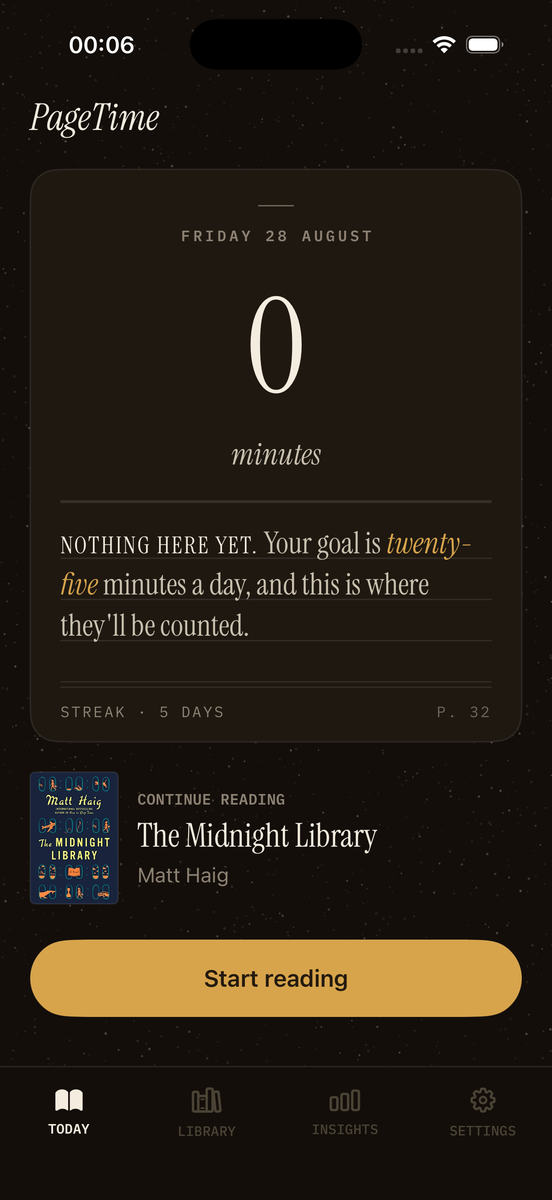
First, the arithmetic
Onboarding asks your daily average, then converts a week of it into the only currency this app deals in — at forty-five pages an hour to start, moving towards what you're actually measured doing as sessions add up.
Your pace is the one figure you can tune yourself, any time, in Settings. Everything downstream of it — the books, the finish dates — updates from that single number.
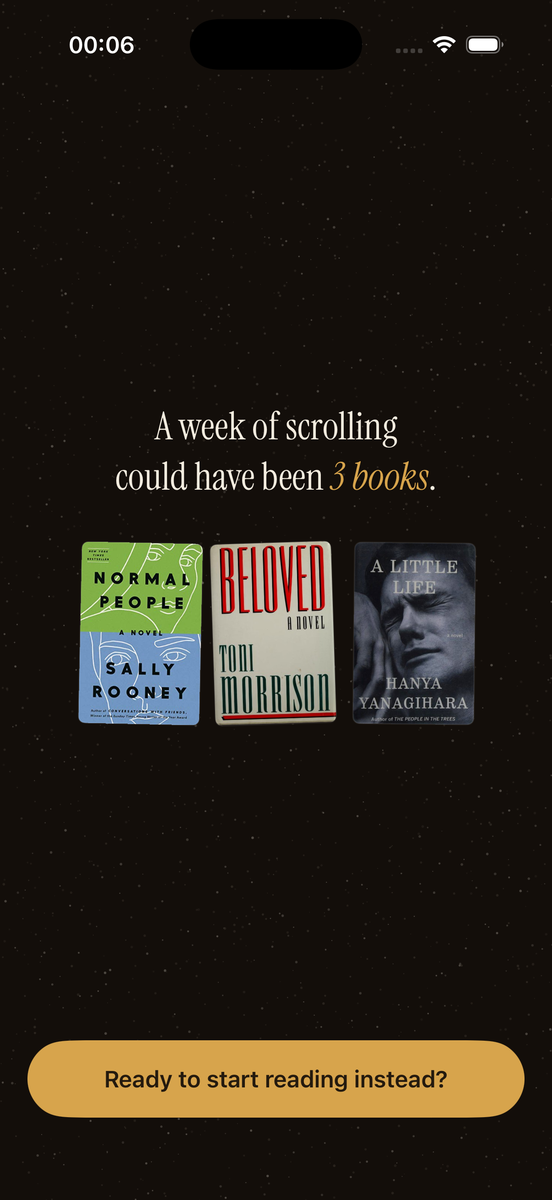
The reveal · onboarding, minute one
How it works
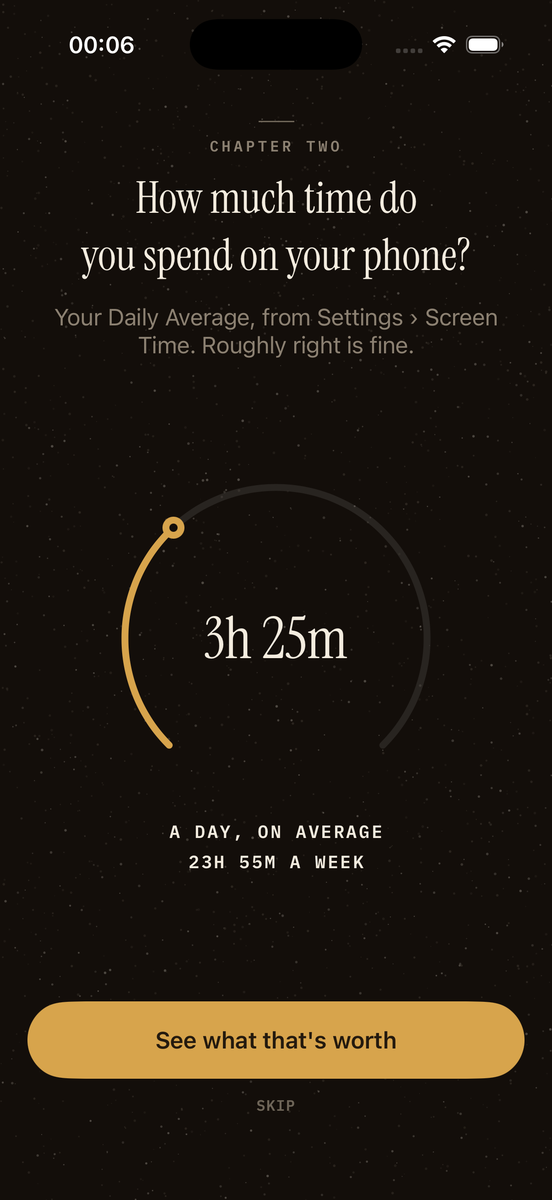
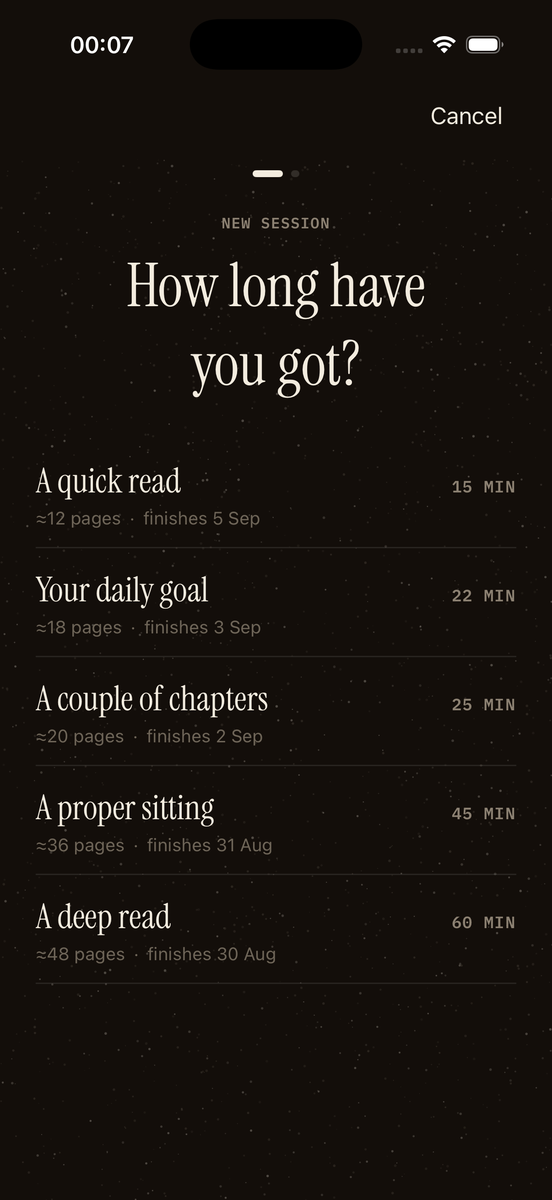
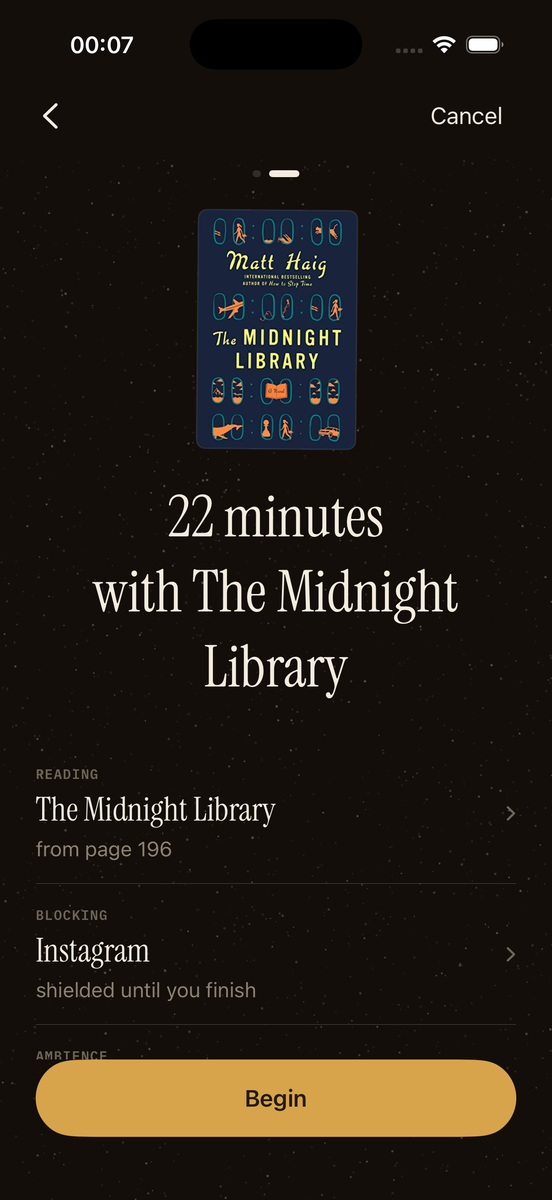
The whole app is one loop, and every screen is a step in it. Starting a session takes two taps.
Tell PageTime what your phone gets each day. It shows you the same figure in books.
Pick them in Apple’s own picker. PageTime never sees which apps you chose — only that you chose.
Fifteen minutes, a chapter, a proper sitting. The shielded apps stay shut until you finish.
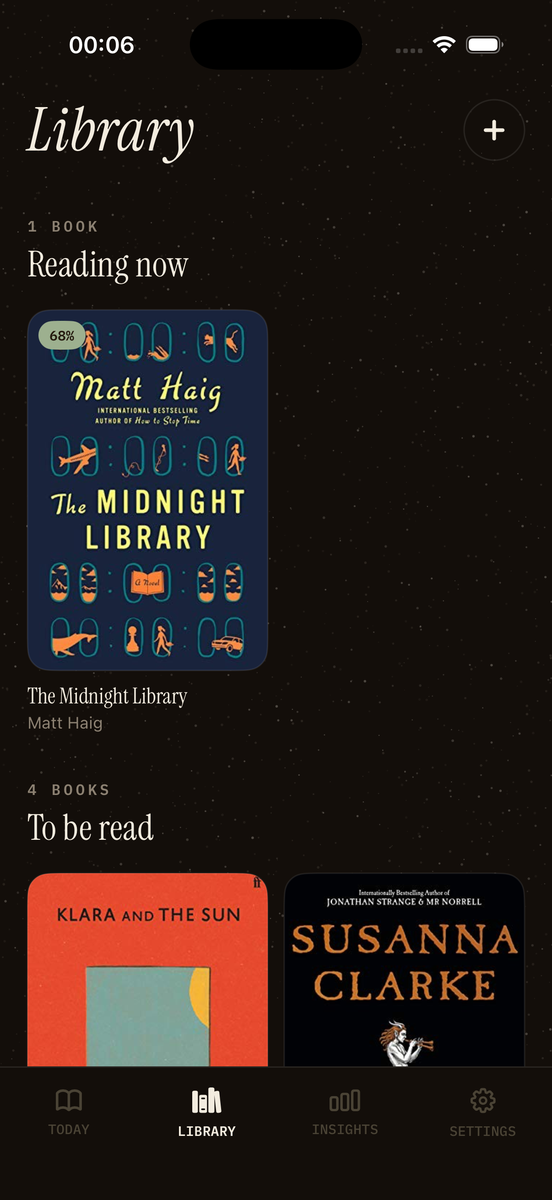
Scan the page you finished on, type it, or just log the time. Your shelf moves either way.
The shield
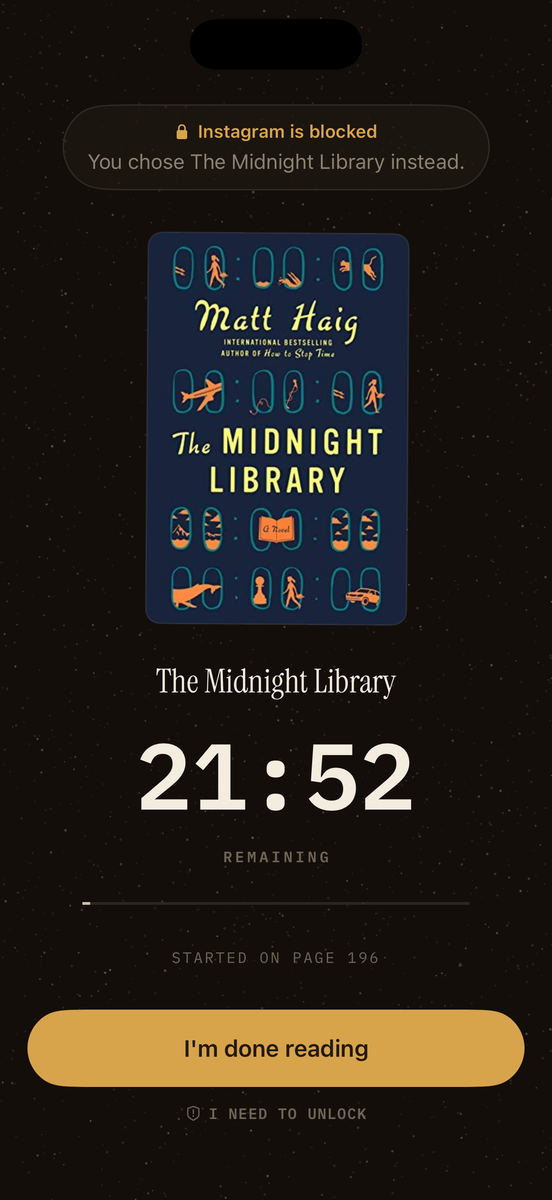
Reach for Instagram mid-session and it doesn’t open. What you get is one line naming the book you picked over it — the trade you already made, said out loud at the moment you’re about to undo it.
Blocking here is supportive, not punitive. The emergency unlock always works; it just costs a five-second hold and a reason, named on the spot. The session still counts. It only loses its distraction-free mark. Your reasons come back later as your own pattern (“most of your unlocks happen around nine”), never as a telling-off.
Mid-session · apps shielded
The number that matters
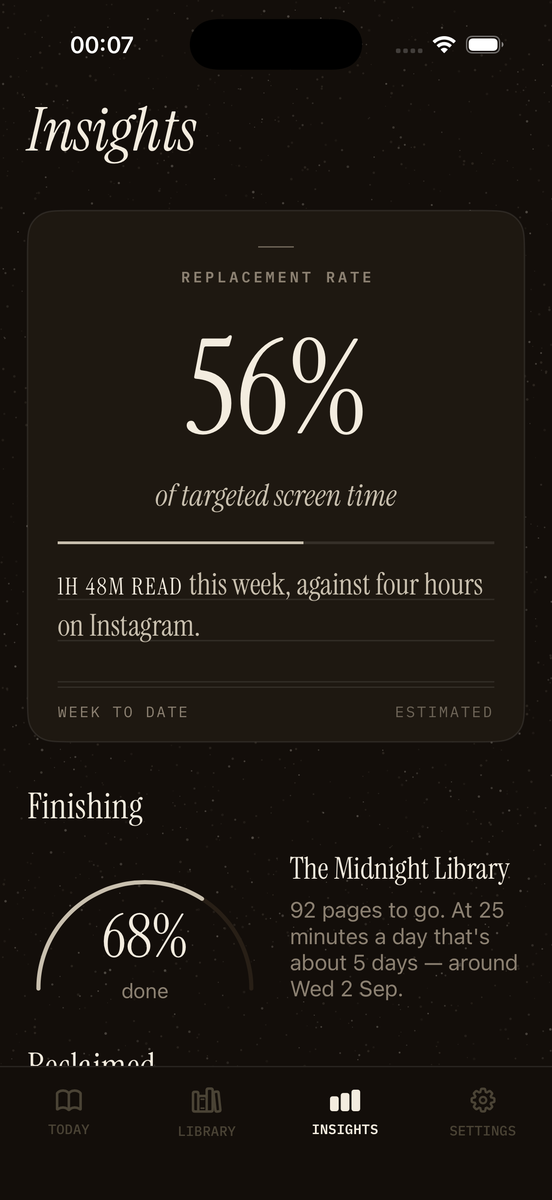
Reading minutes go up in every reading app. That can happen while nothing about your evenings actually changes. So PageTime leads with one figure instead: your reading time as a share of the screen time you set out to replace.
One hour twenty-one read this week, against four hours on Instagram alone.
How far through the book you are — 92 pages to go, and a projected finish date at your current pace.
Day streak. There’s no recovery day — a missed day ends it, because a streak that survives days you didn’t read isn’t counting what it says it counts.
Insights · week to date
What’s in it
The tracking exists to make one trade visible. Everything here serves that, and nothing else got in.
Built on Screen Time. You pick the apps in Apple’s picker; PageTime shields them for the length of a session and lets them go the moment you finish.
Point the camera at the page. On-device text recognition reads the folio, ignores chapter numbers in body text, and offers alternatives when it isn’t sure. It suggests; you decide.
How long, then start. Named presets from a quick read to a deep read, each showing roughly how many pages — and what finish date — that buys you.
Print tracks pages, ebooks per cent, audiobooks minutes. Real cover art, looked up by title and author, with the app’s own cloth-and-type covers as the fallback.
A reading room to sit in for the length of the session, or silence. It stops when the session does.
Set the window your evenings usually disappear into. PageTime speaks up just before it, rather than after the hour is gone.
The default lifts the shield the moment a session ends. The stricter mode keeps it up all day, every day, until you’ve logged your reading — your choice, set once in onboarding.
Export your week — hours reclaimed, books finished, the shelf — as an image made to make the person seeing it curious about their own number.
Your reading pace lives in Settings and is yours to change any time, learning from your actual sessions as they add up. Every screen showing an estimate says that it is one.
Privacy
There is no sign-up, because there is no server holding your reading. Your books, sessions and streak live in a single file on your phone, and deleting the app deletes them.
Photos of pages are read by Apple’s on-device Vision framework and discarded in memory — they are never written to disk and never uploaded. Apple’s Screen Time model means PageTime cannot see which apps you shielded, only that you shielded some; the copy never pretends otherwise.
A few things do touch the network, and all of them are named on the privacy page: a cover-art lookup and a title search when you add a book, and the App Store’s own subscription handling. That is the whole list.
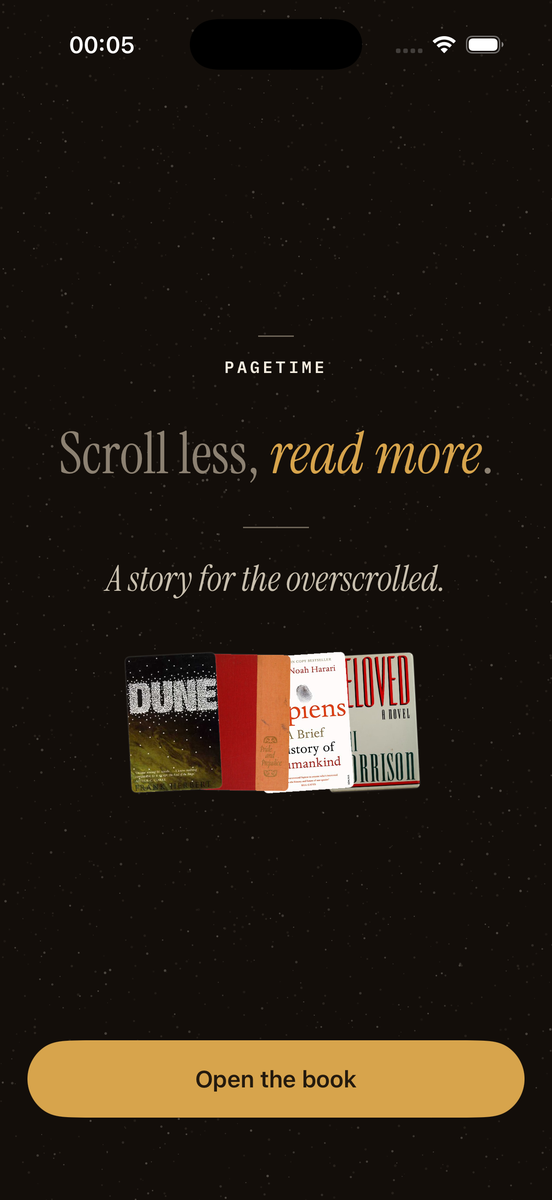
First launch
Pricing
There’s no free tier — but there’s a full trial before you pay anything, on whichever term you pick.
PageTime Full
Weekly
£4.99per week
3 days free
Monthly
£9.99per month
7 days free
Yearly · save 58%
£49.99per year
7 days free
Prices shown are for the UK App Store and may differ in your country. Subscriptions are billed by Apple and can be cancelled any time in iOS Settings.
Questions
It actually blocks them. PageTime uses Apple’s Screen Time framework, the same machinery as Apple’s own app limits, so a shielded app will not open for the length of your session.
You will be asked to grant Screen Time access once, and to pick your apps in Apple’s picker. Both are Apple’s screens, not ours.
The emergency unlock always works — there is no version of this app that traps you. It costs a five-second hold and a reason, named on the spot. The friction is the point, and the delay is the whole of it.
The session still counts towards your day and your streak. It only loses its distraction-free mark.
Not an ongoing one. PageTime is a single subscription — weekly, monthly or yearly — and every term starts with a free trial (three days on weekly, seven on monthly and yearly) so you can use the whole app before paying anything.
There’s no separate free tier to fall back to once the trial ends.
No, and it is not a policy choice — Apple’s design makes it impossible. The picker hands back opaque tokens that can be shielded but not read. PageTime knows you shielded five things. It does not know what they were.
Mostly from you. Your reading pace starts as your own estimate, sits in Settings where you can change it any time, and moves towards what you have actually been measured doing as sessions accumulate. Your usual book length and how dense your material is are set from the genres you pick during onboarding, rather than a Settings screen — one fewer knob to find.
Anything estimated is labelled estimated, on the screen where it appears.
No. There are three ways to close a session — type the page you finished on, scan it, or log the time and nothing else. Scanning earns a verified mark, so it is rewarded rather than required. Mandatory photography is the fastest way to stop people finishing sessions at all.
Yes. Print books track pages, ebooks track per cent, audiobooks track minutes. Page scanning is offered only for print, because it is the only format with a page number a camera can read.
No. There is no account and no sync. Your library, sessions and streak live in one file on your phone. Page photos are processed on-device and discarded. The full detail, including the handful of network calls the app does make, is on the privacy page.
An iPhone running a current version of iOS. PageTime is iPhone-only for now — there is no iPad or Android version.
In iOS Settings, under your name, then Subscriptions. Apple handles billing, so cancelling there stops it immediately for the next period, and PageTime Full keeps working until the period you have paid for ends. Full instructions are on the support page.
One hour back
That is the whole promise, and everything in PageTime exists to make the trade visible enough to keep making.
7 days free · No account · iPhone